
Product Installation Overview
Display Panel Connector installation for commercial display systems uses modular spacing, load rating, bracket alignment, service access, and repeated fixture checks in the Commercial Display, Store Fixture, and Retail Furniture Hardware setup.
For B2B furniture production, use this Display Panel Connector guide to standardize marking, drilling, mounting, fastening, and final inspection before the hardware is approved for cabinet, panel, or furniture assembly.
This is only a simple installation tutorial. Specific adjustments should be made according to the actual furniture, panel material, and hardware specifications.
- Product
- Display Panel Connector
- Category
- Commercial Display, Store Fixture, and Retail Furniture Hardware
- Installation profile
- Commercial Display and Store Fixture Installation
- Priority
- 68
Industry Data
Use these installation signals to prepare tools, verify measurements, and avoid common alignment or fastening mistakes before production use.
- Tools to prepare: tape measure, level, drill, screwdriver and anchors where required Prepare these before drilling or fastening the hardware.
- Measurement checks: bracket spacing, shelf depth, panel thickness and load rating Confirm these measurements against the panel, door, drawer, or frame before installation.
- Hardware and supplies: Display Panel Connector, matching fasteners and furniture panel Check compatibility with the actual furniture material and order specification.
- Step sequence: Plan display height and product load, Mark rail, Install supports with suitable fasteners, Attach display accessories or shelves and Adjust spacing for merchandise access Follow the sequence so alignment errors are caught before final tightening.
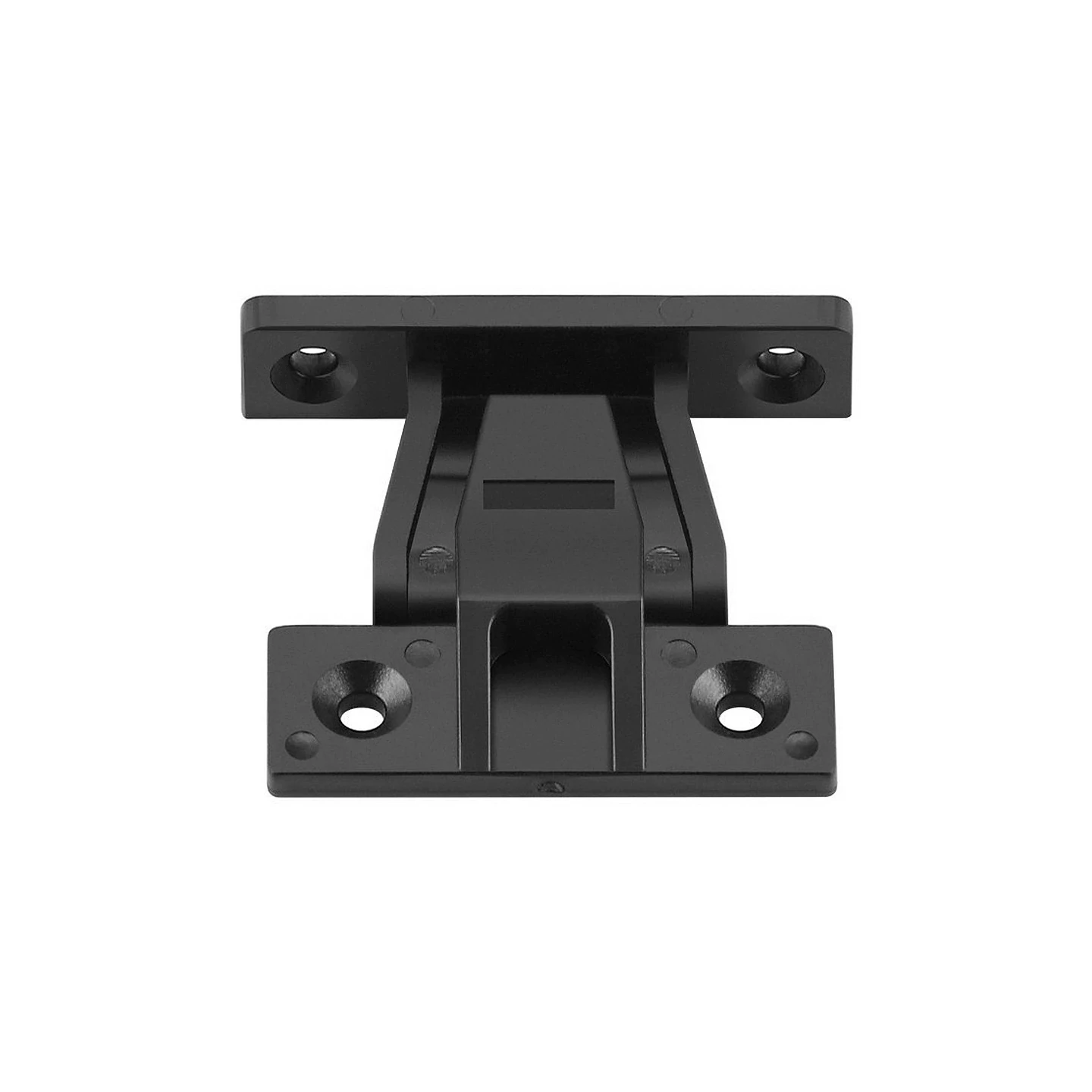
Detailed Display Panel Connector Installation Tutorial
Before You Start
Before installing Display Panel Connector, dry-fit Display Panel Connector on the furniture part and confirm the bracket spacing reference. Mark from one clean datum edge, not from a damaged corner, so repeated pieces land in the same position. Set modular spacing, bracket load, fixture line, and future service access before drilling repeated bays.
Installation Method
During the Display Panel Connector work, use tape measure first, then drill or fasten gradually. Keep the hardware square to the panel, leave adjustment screws loose until alignment is checked, and compare the result with the Commercial Display and Store Fixture Installation profile requirements. Use the same datum and fastening sequence across each display module for repeatable alignment.
Final Check
After Display Panel Connector is mounted, operate, pull, load, or lock the part in the same direction a user will use it. Recheck gaps, screw seating, clearance, and surface damage before approving the Display Panel Connector installation for production. Load the display hardware and check fixture alignment, access, and safety across repeated units.
Visual Step-by-Step Installation Guide
Step 1 of 6: Plan display height and product load
Step by Step Installation Instructions
-
1
Plan display height and product load For Display Panel Connector, mark module spacing, fixture line, service access, and load zones across the display bay. Use tape measure for this operation and keep "bracket spacing" as the main measurement check. Keep Display Panel Connector in position without fully forcing it until the alignment is verified. Before moving to the next step, confirm the reference line is visible, repeatable, and matches the product title and drawing requirement.
-
2
Mark rail, standard, bracket, or hook positions For Display Panel Connector, prepare repeated pilot holes from the same datum so modules align across the run. Use level for this operation and keep "shelf depth" as the main measurement check. Keep matching fasteners in position without fully forcing it until the alignment is verified. Before moving to the next step, confirm the hole, cutout, or prepared surface is clean and does not break through the finished face.
-
3
Install supports with suitable fasteners For Display Panel Connector, place brackets, rails, or fixtures in sequence and check spacing before tightening. Use drill for this operation and keep "panel thickness" as the main measurement check. Keep furniture panel in position without fully forcing it until the alignment is verified. Before moving to the next step, confirm the hardware sits flush against the panel without rocking or twisting.
-
4
Attach display accessories or shelves For Display Panel Connector, fasten each display component to its rated backing or frame member. Use screwdriver for this operation and keep "load rating" as the main measurement check. Keep Display Panel Connector in position without fully forcing it until the alignment is verified. Before moving to the next step, confirm fasteners are seated firmly without stripping, crushing, or shifting the hardware.
-
5
Adjust spacing for merchandise access For Display Panel Connector, adjust repeated modules so shelves, hooks, or panels line up visually. Use anchors where required for this operation and keep "slot spacing" as the main measurement check. Keep matching fasteners in position without fully forcing it until the alignment is verified. Before moving to the next step, confirm the gap, reveal, height, and working clearance are even from the front and side.
-
6
Check stability, appearance, and load safety For Display Panel Connector, load the fixture and check access, safety, and alignment across all repeated units. Use tape measure for this operation and keep "display height" as the main measurement check. Keep furniture panel in position without fully forcing it until the alignment is verified. Before moving to the next step, confirm movement, holding strength, and safety are acceptable before production approval.
Common Installation Mistakes
- Installing Display Panel Connector without checking merchandising load.
- Mixing bracket spacing across repeated bays.
- Blocking service or reconfiguration access.
- Skipping final inspection after display load changes.
Safety and Installation Warnings
- Retail displays need repeated load checks because users handle shelves and hooks frequently.
- Wear eye protection and confirm all measurements before drilling.
Adjustment or Testing Notes
- Load Display Panel Connector to the expected display weight.
- Check bracket alignment across repeated units.
- Confirm parts can be serviced or reconfigured safely.
Installation FAQ
What tools are needed to install Display Panel Connector?
Typical tools include tape measure, level, drill, screwdriver, anchors where required. For production work, add jigs, depth stops, or templates when repeatable positioning is required.
What measurements should be checked before installing Display Panel Connector?
Check bracket spacing, shelf depth, panel thickness, load rating, slot spacing before drilling or fastening. Confirm dimensions against the product drawing and panel thickness.
Can Display Panel Connector be installed in MDF or plywood furniture?
Most furniture hardware can be installed in MDF, plywood, particle board, or solid wood when the pilot hole, screw length, load rating, and tightening torque match the material.
What is the most common installation mistake for Display Panel Connector?
Installing Display Panel Connector without checking merchandising load.
Can Display Panel Connector be ordered for bulk furniture production?
Yes. Use the guide to define installation drawings, samples, tooling, and inspection standards before bulk furniture hardware production.